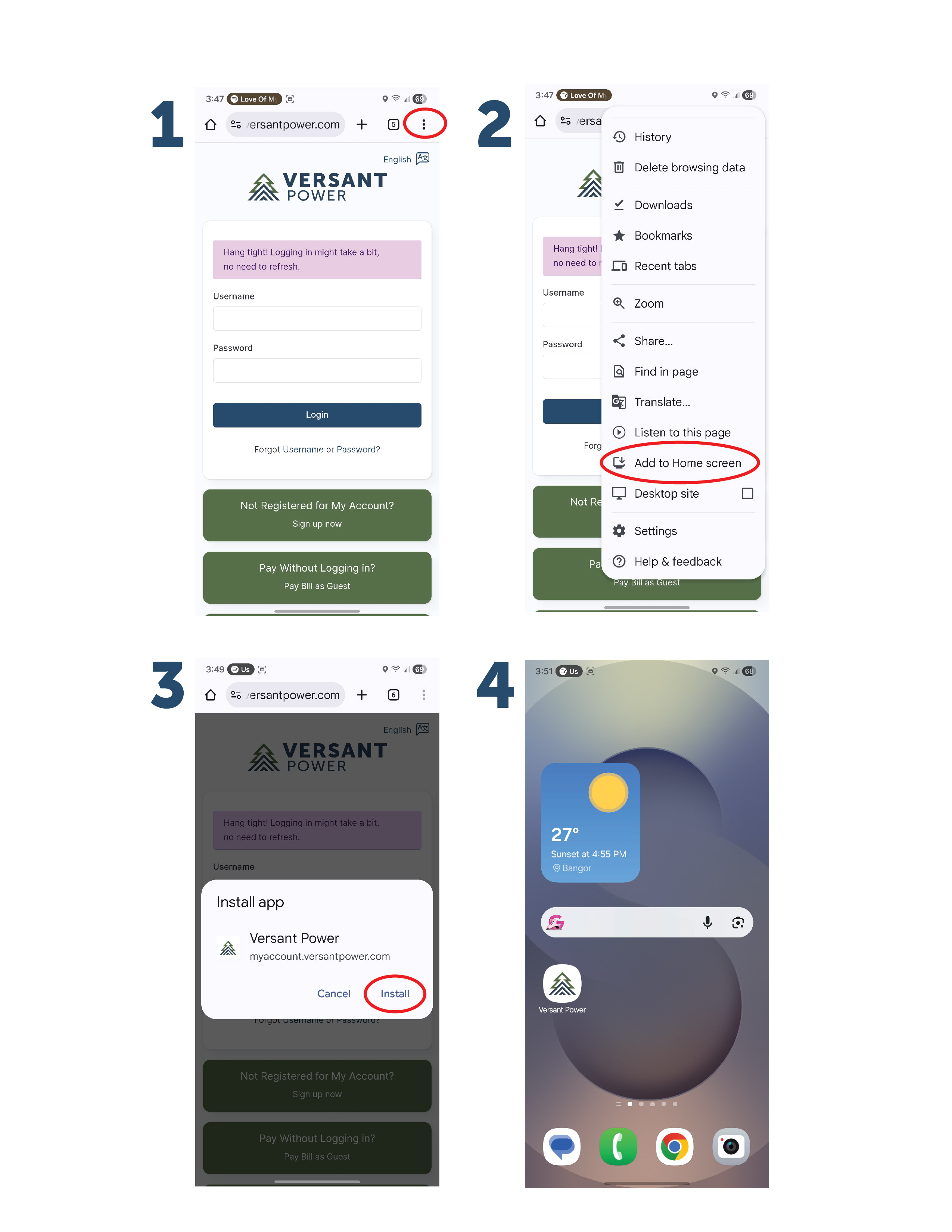


Accessing My Account on mobile is easy!
Just follow these steps to add it to the home screen of a mobile device.
There’s no need to download a separate app or worry about keeping it updated. My Account can be installed directly on your device as an application icon, giving you the same smooth, app-like experience you’d expect—without taking up extra storage or dealing with ongoing updates.
It’s quick to set up, easy to access, and always up to date automatically!
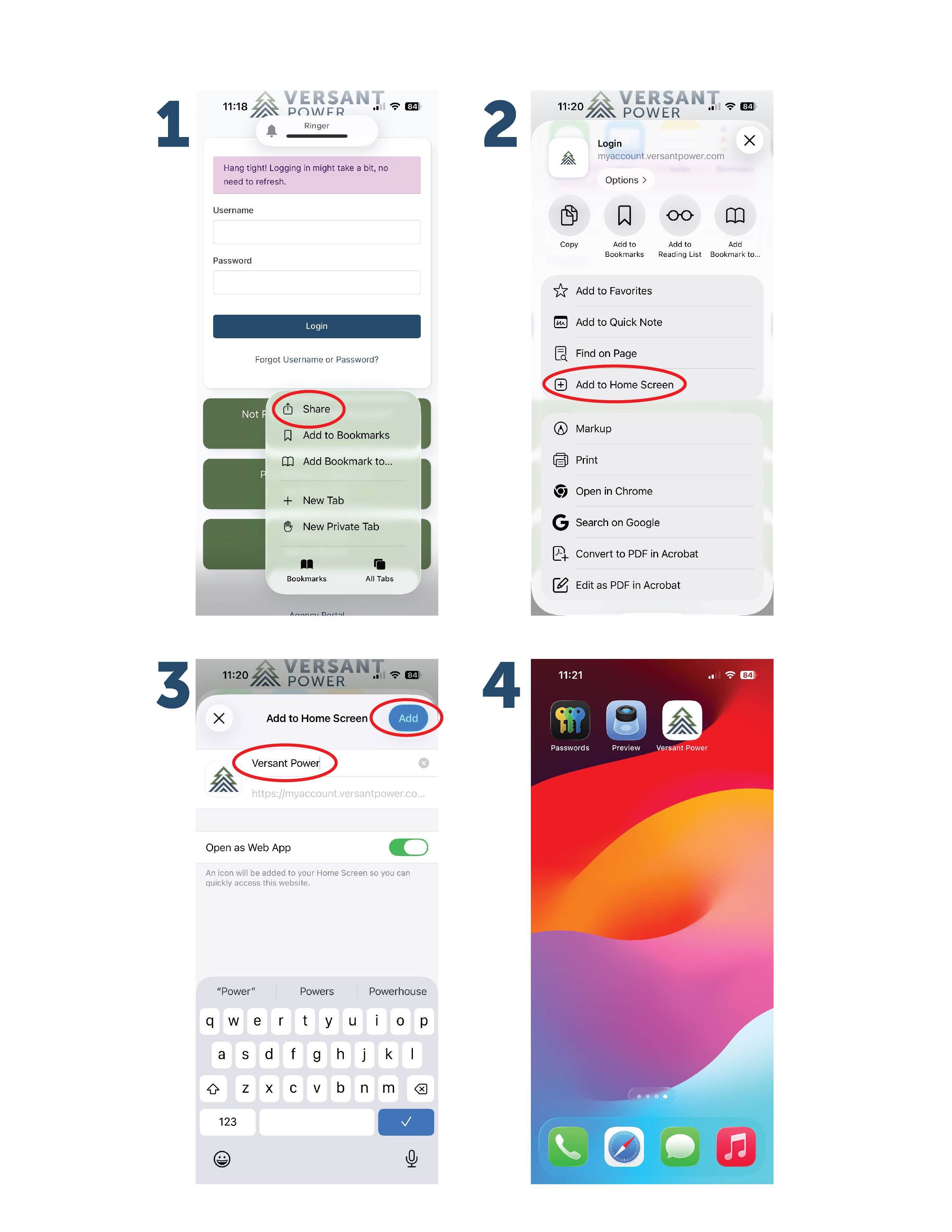
Follow these steps for IOS:
1. Go to myaccount.versantpower.com on your browser. Then, select the "Share" icon from the browser
2. Select "Add to Home Screen"
3. Type in the name you wish the progressive web app to be displayed as and select "Add"
4. The progressive web app will appear on your phone's home screen
Follow these steps for Android:
1. Go to myaccount.versantpower.com on your browser. Then, click the "3 dots" icon
2. Select "Add to Home Screen"
3. once prompted, click "Install"
4. The progressive web app will appear on your phone's home screen